Read Tab — Chapter Reading
A dedicated Read tab lets you browse all 66 books by Old or New Testament, tap into any book, and read full chapters with numbered verses in a clean, focused layout.
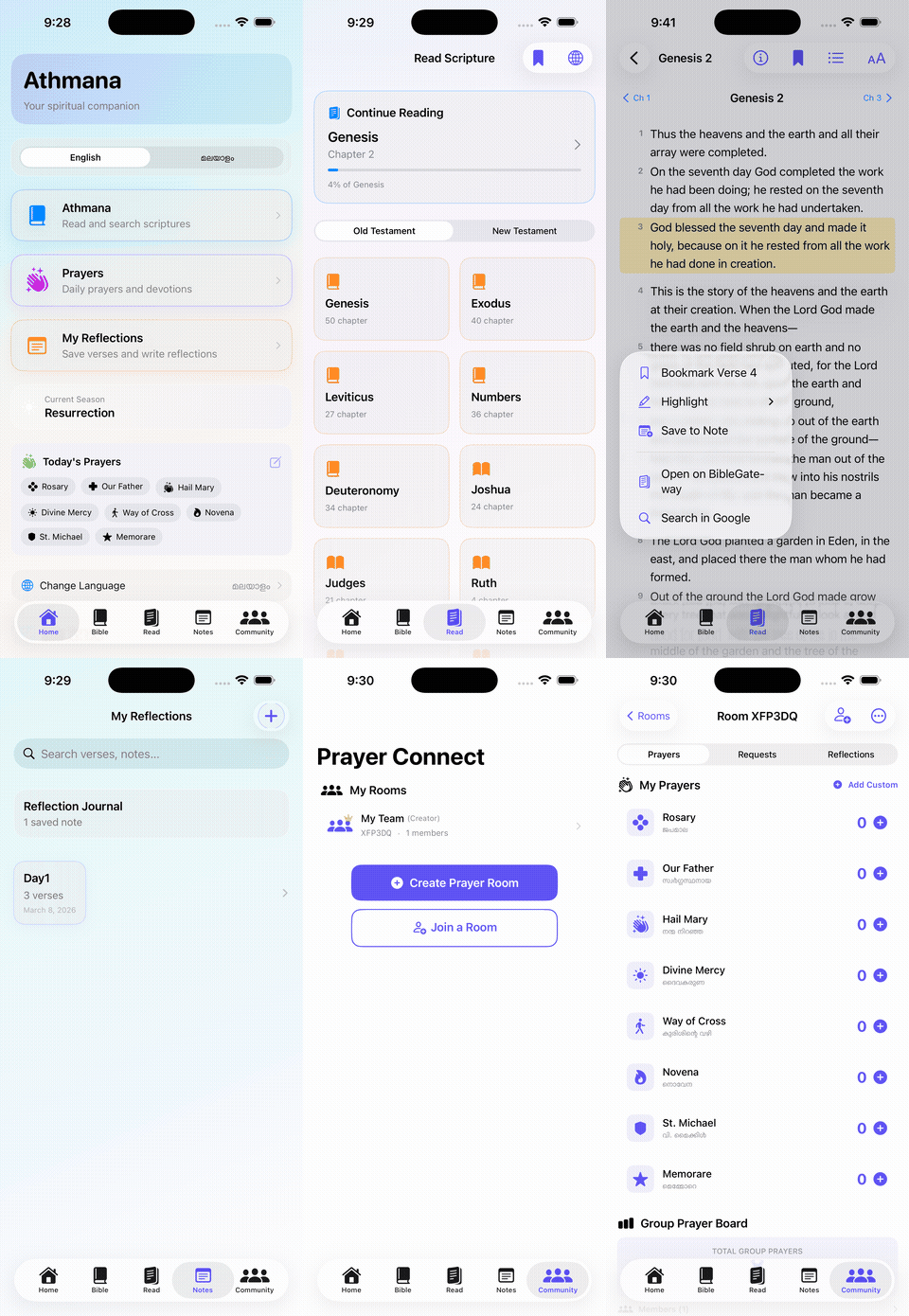
Athmana is a Bible reading, reflection, and prayer app designed around a clean, distraction-light experience. Version 1.12 introduces a dedicated Read tab — a full chapter-by-chapter Bible reading experience with a Continue Reading progress tracker, Old and New Testament browsing, numbered verse display, verse bookmarks, inline highlighting, Save to Note, Open on BibleGateway, and Search in Google — all from a single tap on any verse. First launch downloads Bible translations (ICB and Malayalam) during a guided setup flow. The app also supports three languages (English, Malayalam, Spanish), seasonal prayer awareness, timed bead-by-bead prayer playback with Live Activity on the lock screen and Dynamic Island, and Prayer Connect community rooms.
A dedicated Read tab lets you browse all 66 books by Old or New Testament, tap into any book, and read full chapters with numbered verses in a clean, focused layout.
The Read tab remembers your place and shows a Continue Reading card with your current book, chapter, and percentage progress through the book.
Tap any verse to get a context menu: Bookmark the verse, Highlight it, Save to Note, Open on BibleGateway, or Search in Google — all in one step.
Choose your Bible translation (ICB included). On first launch a guided setup screen downloads the selected translations before entering the app.
The app supports English, Malayalam, and Spanish, with localized labels, placeholders, prayers, and reading output in each language.
The Bible tab lets you search by book name, set chapter and verse controls, toggle Verse Range mode, and save directly to a reflection — with confirmation feedback on save.
Saved notes include verse cards, editable thought sections, rich text formatting tools (Bold, Italic, Heading, Bullet, Quote, Divider, Checkbox), drawing support, and management actions.
Create or join prayer rooms with a short code and pray together with family and friends in real time. Manage multiple rooms and see your Creator or Member role at a glance.
Each room member's prayer count is tracked and displayed on a shared board, with a running total for the whole group broken down by prayer type.
Room members can post prayer requests with categories and urgency levels, pledge to pray for others, and share scripture reflections inside the room.
A Current Season banner surfaces liturgically relevant prayers like the Resurrection season at the top of the Home screen and Prayers section.
Bead-by-bead guided playback for the Rosary, Divine Mercy Chaplet, Way of the Cross, Novena, St. Michael, Memorare, and custom prayers, with adjustable timer settings.
A Prayer Widget extension shows the current prayer step on the lock screen and in the Dynamic Island, updating in real time as each bead advances.
The UI adapts across iPhone and iPad layouts while preserving the same reading, notes, and prayer workflow on every screen size.
Screenshots showing the main Athmana experience across iPhone and iPad, including the new Read tab introduced in version 1.12.
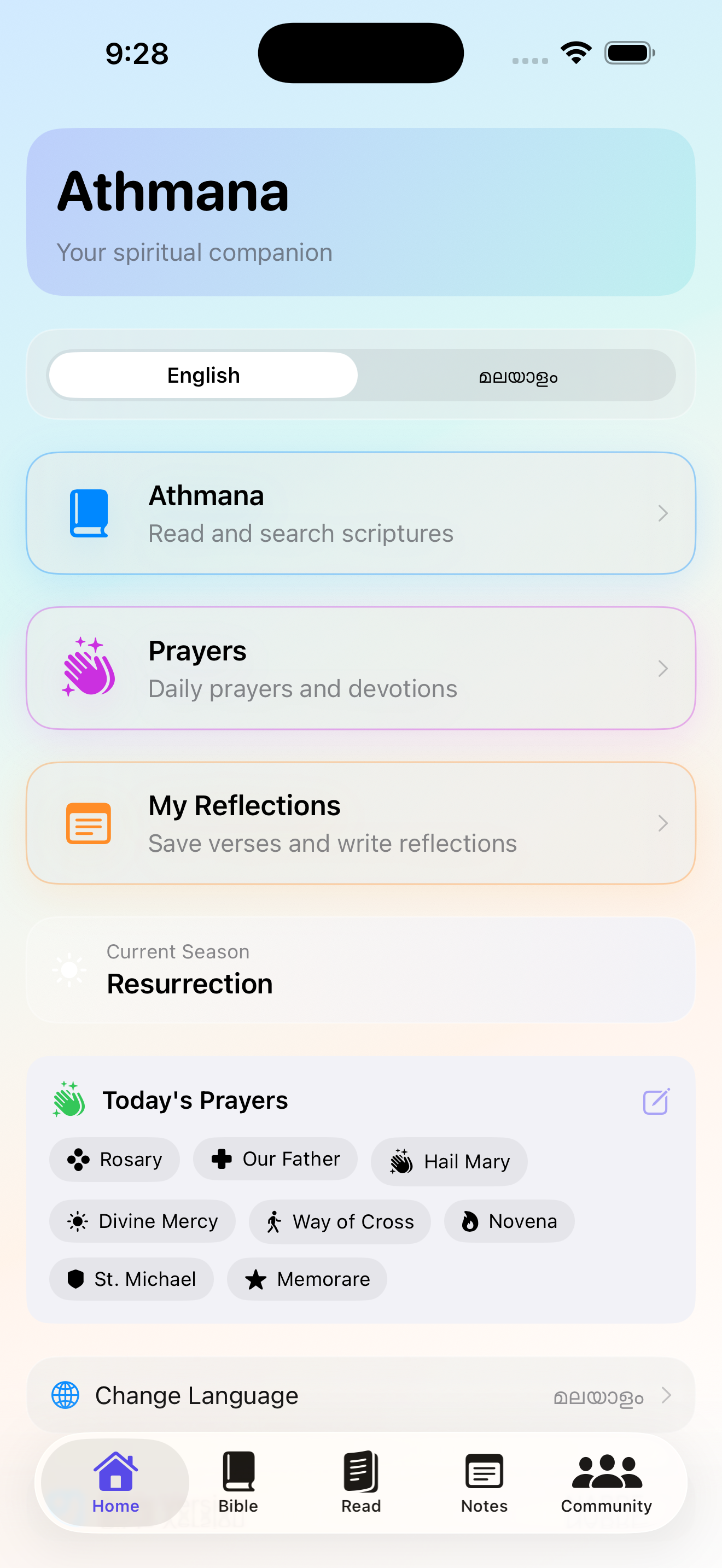
Version 1.12 adds a Read tab to the navigation. The home screen shows the Current Season banner, Today's Prayers quick grid, and shortcuts to Bible Version and Bible Downloads.
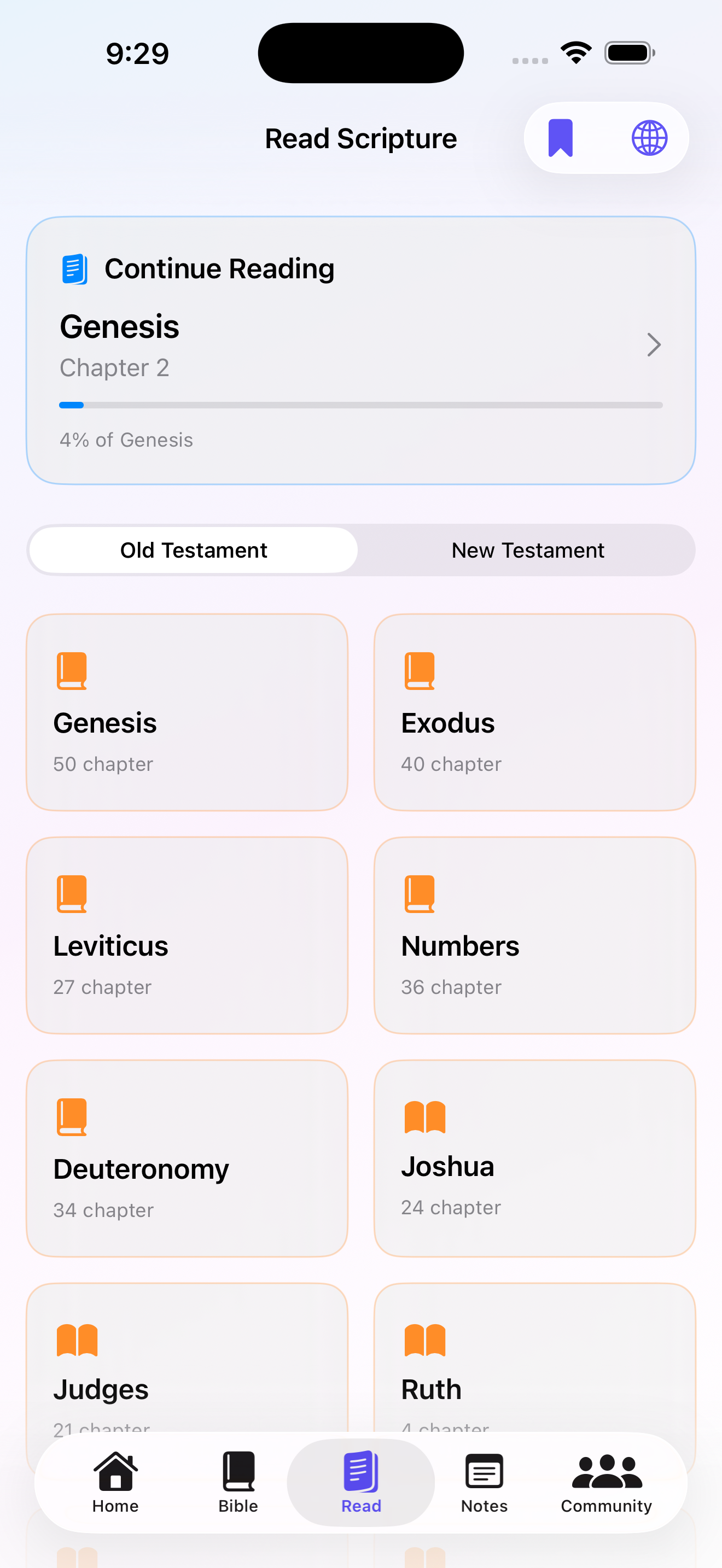
The Read tab opens with a Continue Reading card showing your current book, chapter, and progress percentage, then a full grid of Old Testament books to browse.
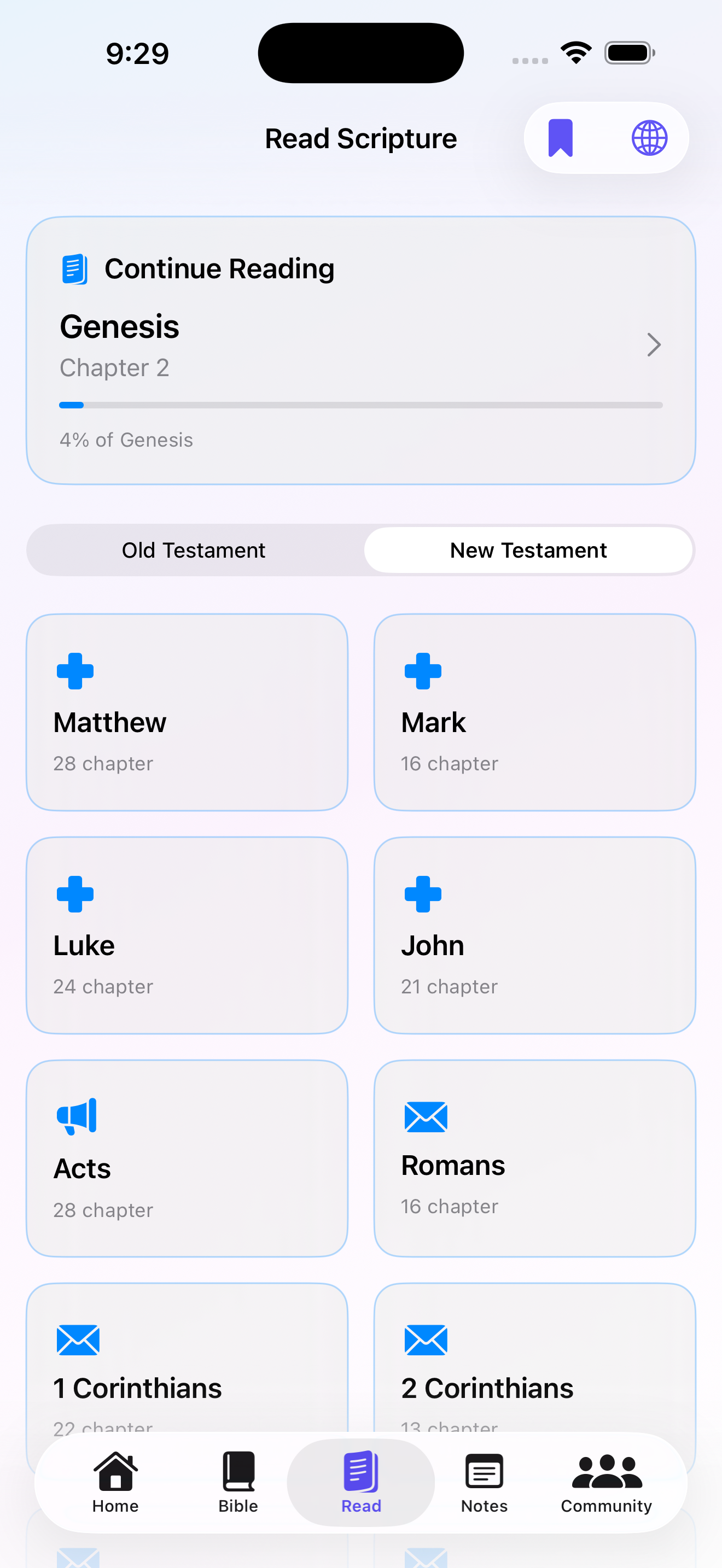
Toggle to New Testament and browse all books with their chapter counts. Each book tile opens directly into chapter reading.
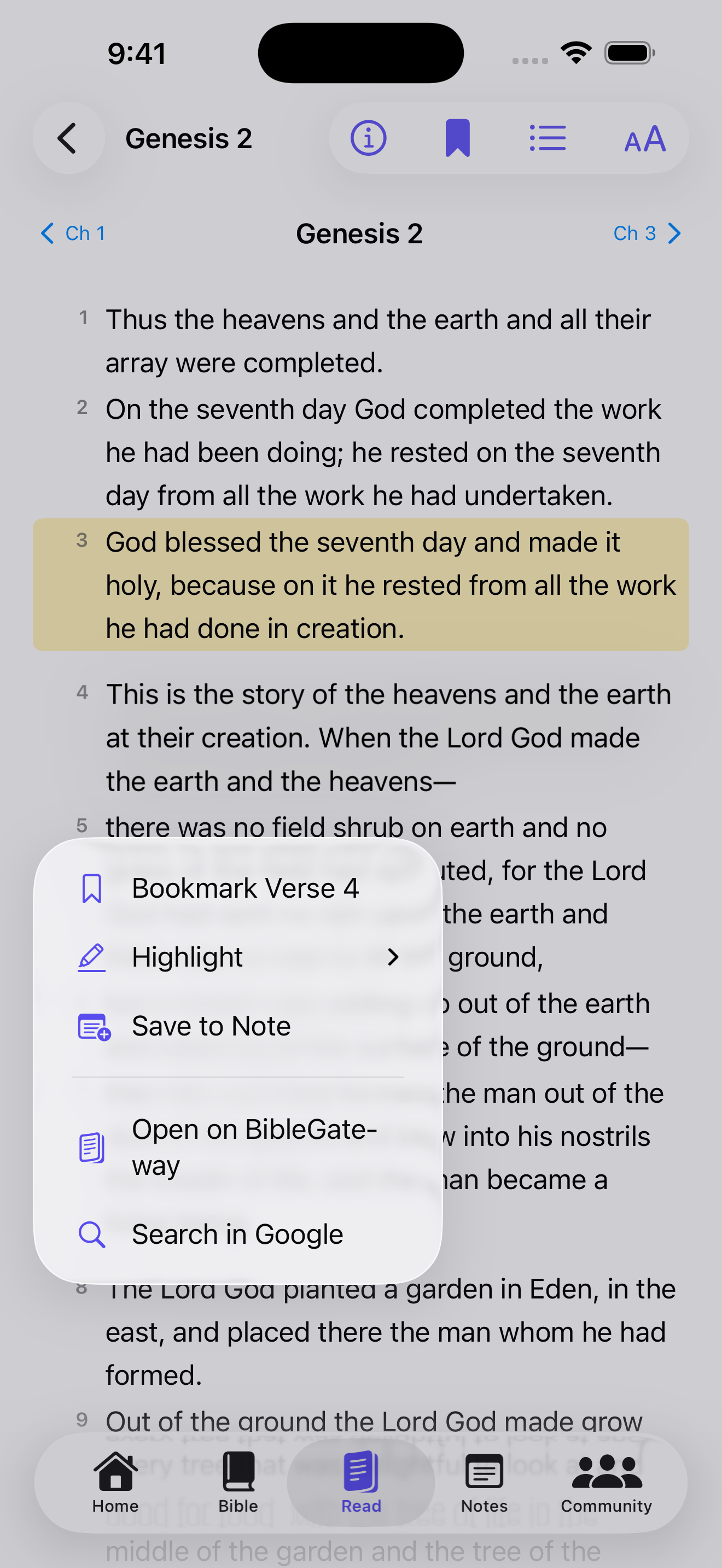
Tap any verse while reading to reveal a context menu: Bookmark, Highlight, Save to Note, Open on BibleGateway, or Search in Google.
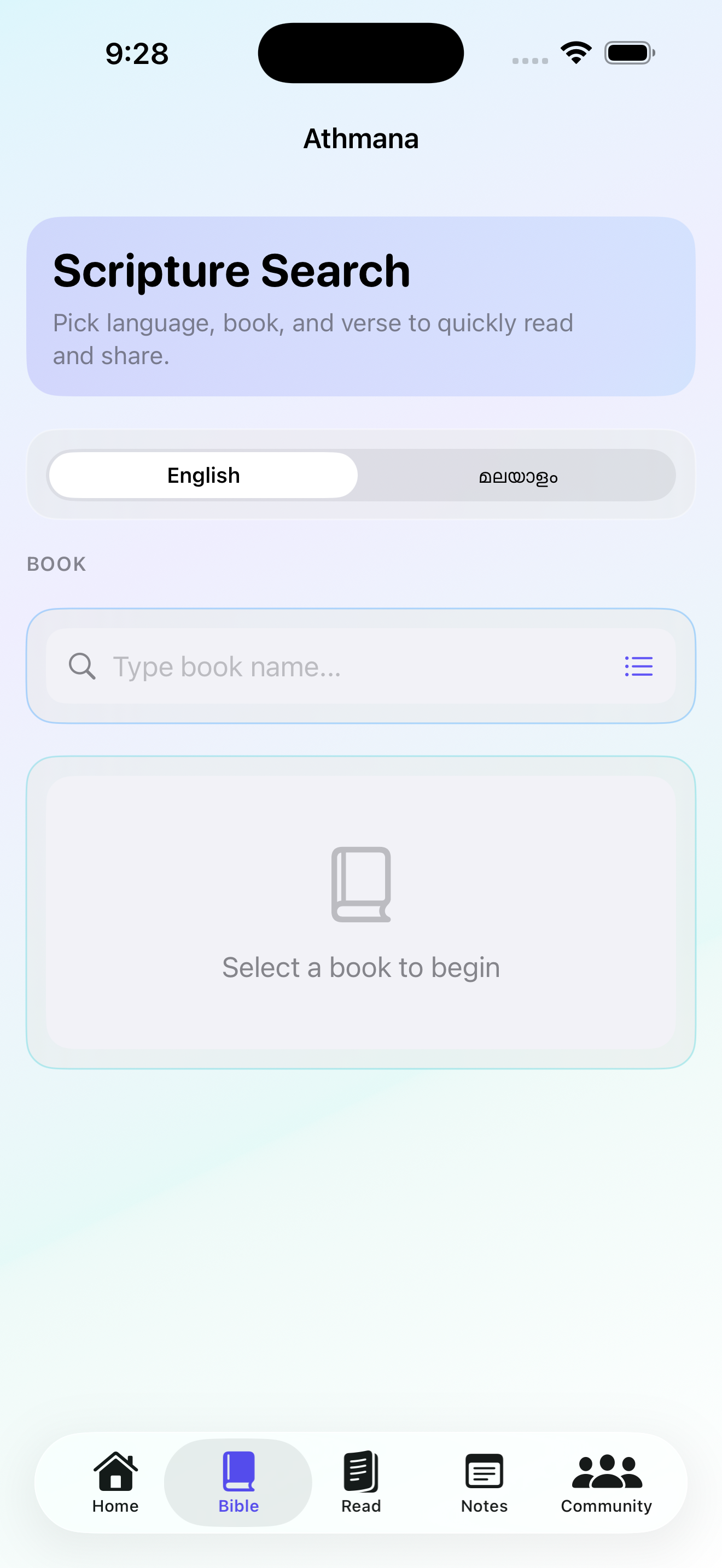
The Bible tab lets you pick a language, search by book name, set chapter and verse controls, and save a verse directly to a reflection.
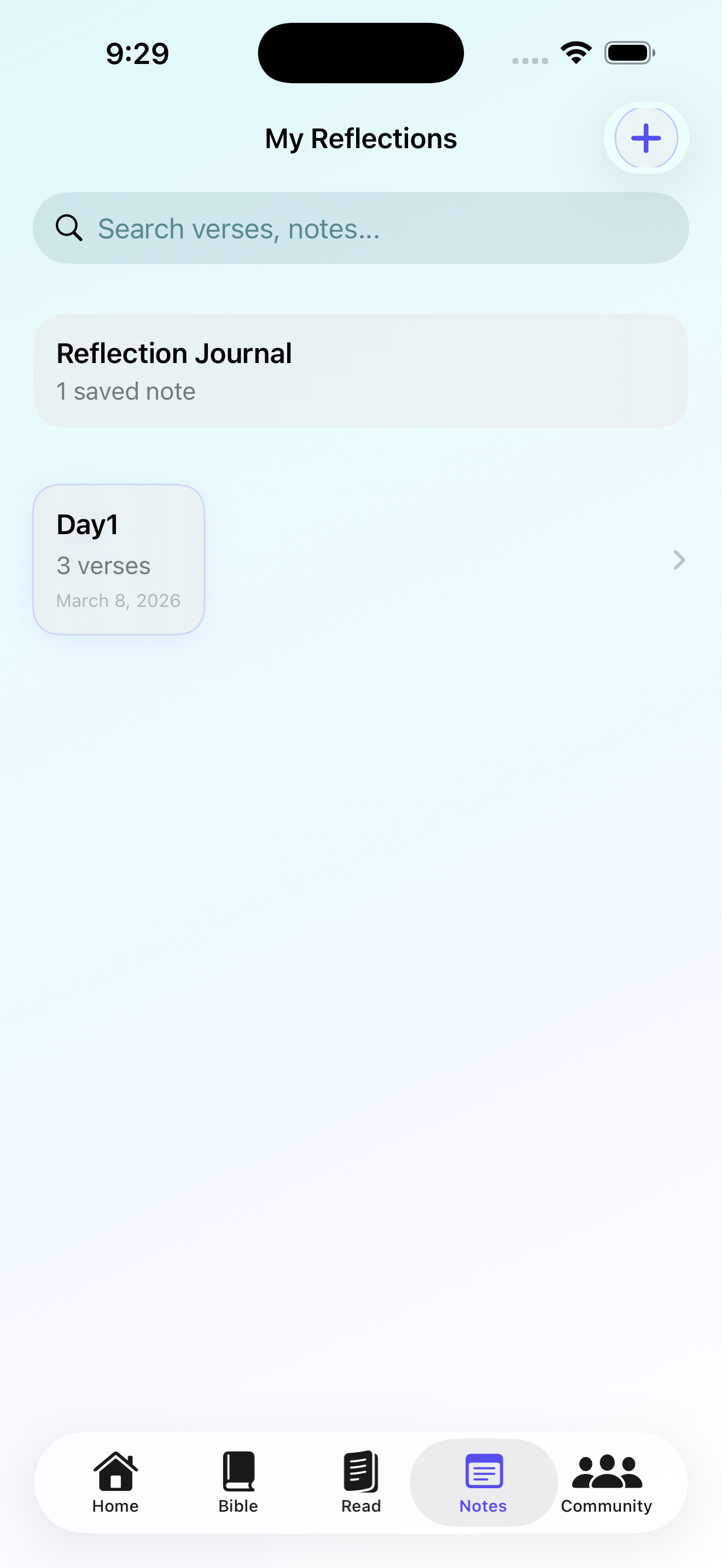
Notes are organized as named reflections with verse counts and creation dates, searchable from the top of the list.
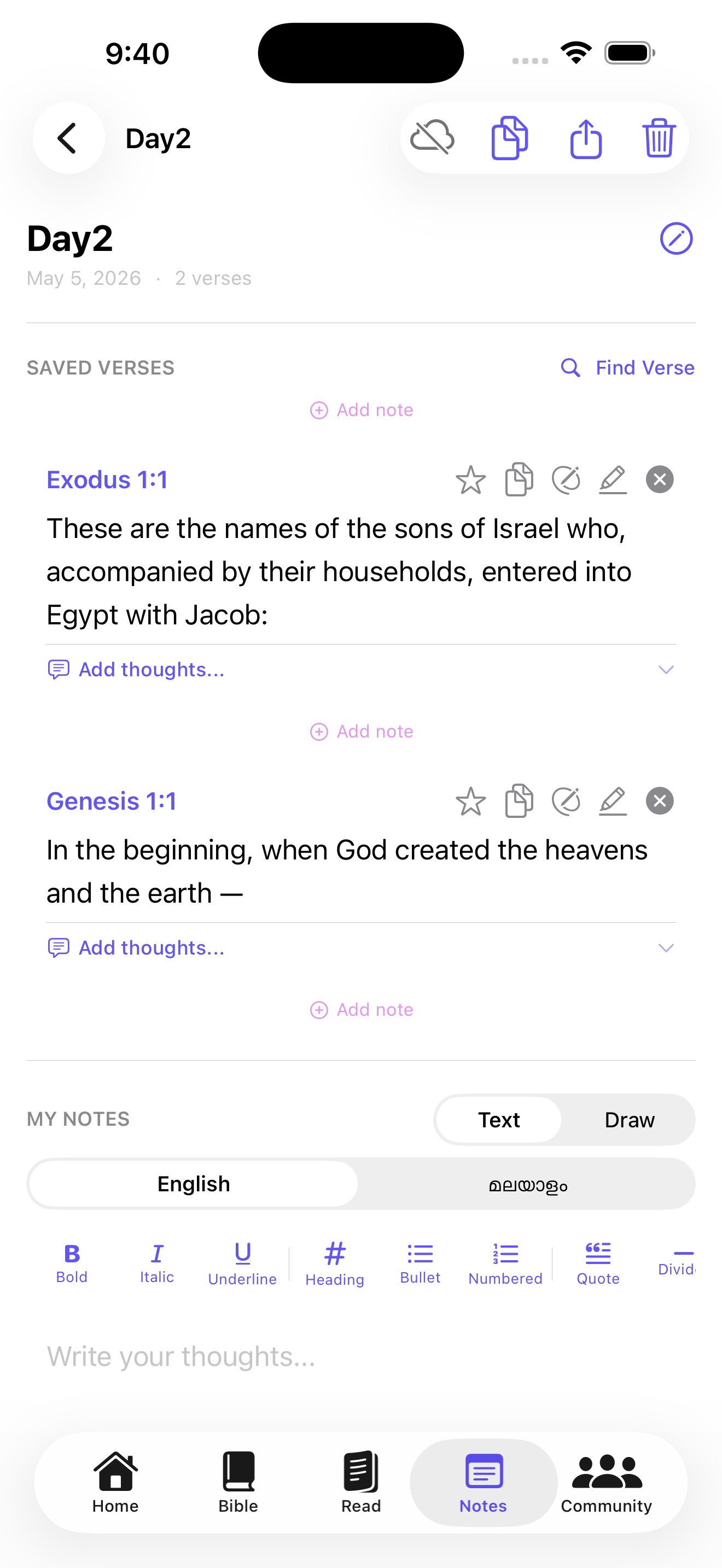
Saved verses appear inside each reflection. Below them a rich text editor with Bold, Italic, Heading, Bullet, Quote, and more lets you write personal thoughts in English or Malayalam.
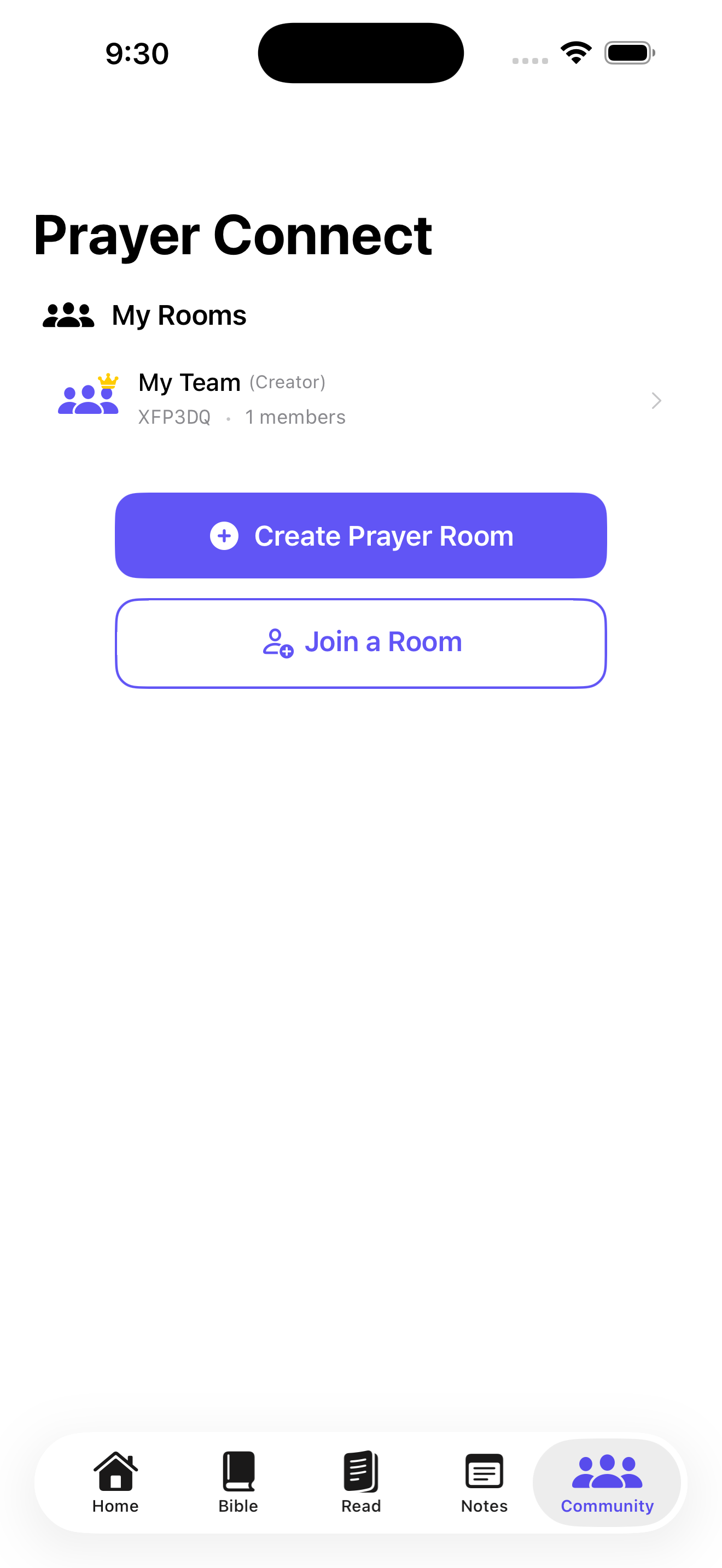
The Community tab lists all your prayer rooms with their room codes and member counts. Create a new room or join one with a short code.
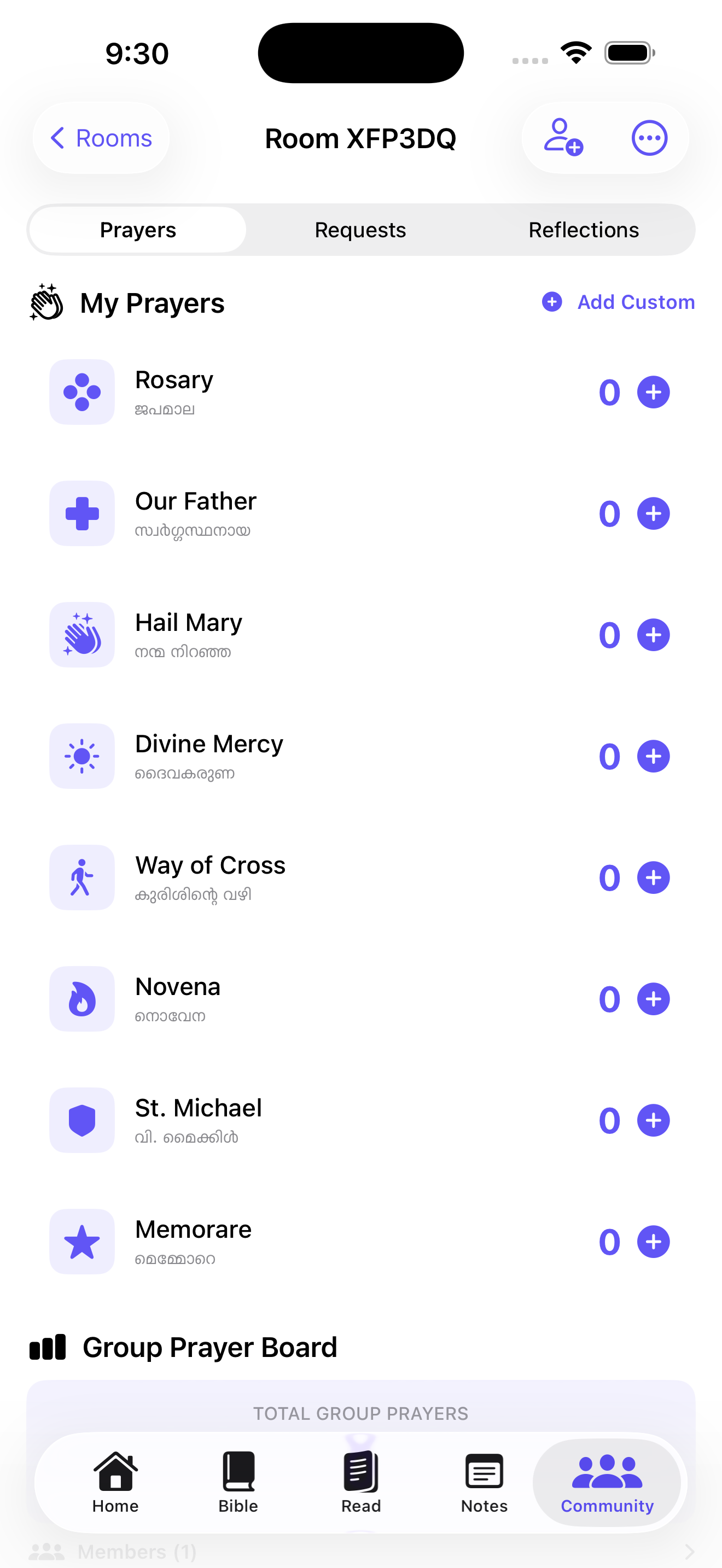
Inside a room the Prayers tab lists all prayers with tap-to-log counters. The Group Prayer Board below tracks each member's total and the room-wide count.
 - 2026-05-05 at 09.42.51.png)
On first launch a setup screen downloads Bible translations (ICB and Malayalam) before entering the app, with a Get Started button once both are ready.
 - 2026-05-05 at 09.43.13.png)
The iPad home screen uses a top tab bar with all five tabs. Quick links for Bible Version and Bible Downloads sit below the Today's Prayers grid.
 - 2026-05-05 at 09.44.07.png)
The Read tab on iPad shows the same book grid in a wider two-column layout, with the Continue Reading card at the top.
 - 2026-05-05 at 09.45.07.png)
Chapter reading on iPad renders the full verse text in a wide, comfortable layout with chapter navigation arrows and toolbar icons for bookmarks and language.
 - 2026-05-05 at 09.45.42.png)
The same verse actions are available on iPad — Bookmark, Highlight, Save to Note, Open on BibleGateway, and Search in Google — from any chapter view.
 - 2026-05-05 at 09.43.24.png)
The Bible tab on iPad shows the full Scripture Search with language toggle, chapter and verse controls, Verse Range mode, and a Save to Notes button.
 - 2026-05-05 at 09.45.53.png)
The Community tab on iPad lists all your prayer rooms. Multiple rooms are shown with their codes and member counts before the Create and Join buttons.
 - 2026-05-05 at 09.46.05.png)
The room Prayers tab on iPad shows all prayers with log counters, a Group Prayer Board with member breakdown, and the room's running total.
 - 2026-05-05 at 10.37.21.png)
The Continue Reading card on iPad tracks your position across sessions — here showing Deuteronomy at 32%, ready to pick up exactly where you left off.
The full privacy policy now lives on its own page. You can open it from the top navigation or go directly to privacy.html.